Example Project
In this tutorial, we will explore an advanced Kedro project deployed with Dagster. We will clone the kedro-dagster-example repository, run it locally, and observe how dynamic pipelines, partitions, MLflow, and Optuna are translated into Dagster objects.
You can preview the project's pipelines on the shared Kedro-Viz page.
Project overview
The example builds on the Kedro Spaceflights tutorial with additions inspired by the GetInData blog post on dynamic pipelines and modified to demonstrate Dagster partitions. Key features:
- Multi-environment support:
local,dev,staging, andprodenvironments, each with its owndagster.ymlandcatalog.ymlunderconf/<ENV>/. - MLflow integration: Experiment tracking and model registry via kedro-mlflow.
- Hyperparameter tuning with Optuna: Distributed optimization via the
optuna.StudyDataset.
Quick start
We begin by cloning the repository and running it locally.
-
Clone the repository:
-
Install dependencies (using uv):
-
Run Kedro pipelines as usual:
-
List Dagster definitions to see what the plugin generates:
Notice that this repository is already initialized for Kedro-Dagster, so you do not need to run
kedro dagster init. -
Launch the Dagster UI:
Our Kedro datasets appear as Dagster assets and our pipelines as Dagster jobs:
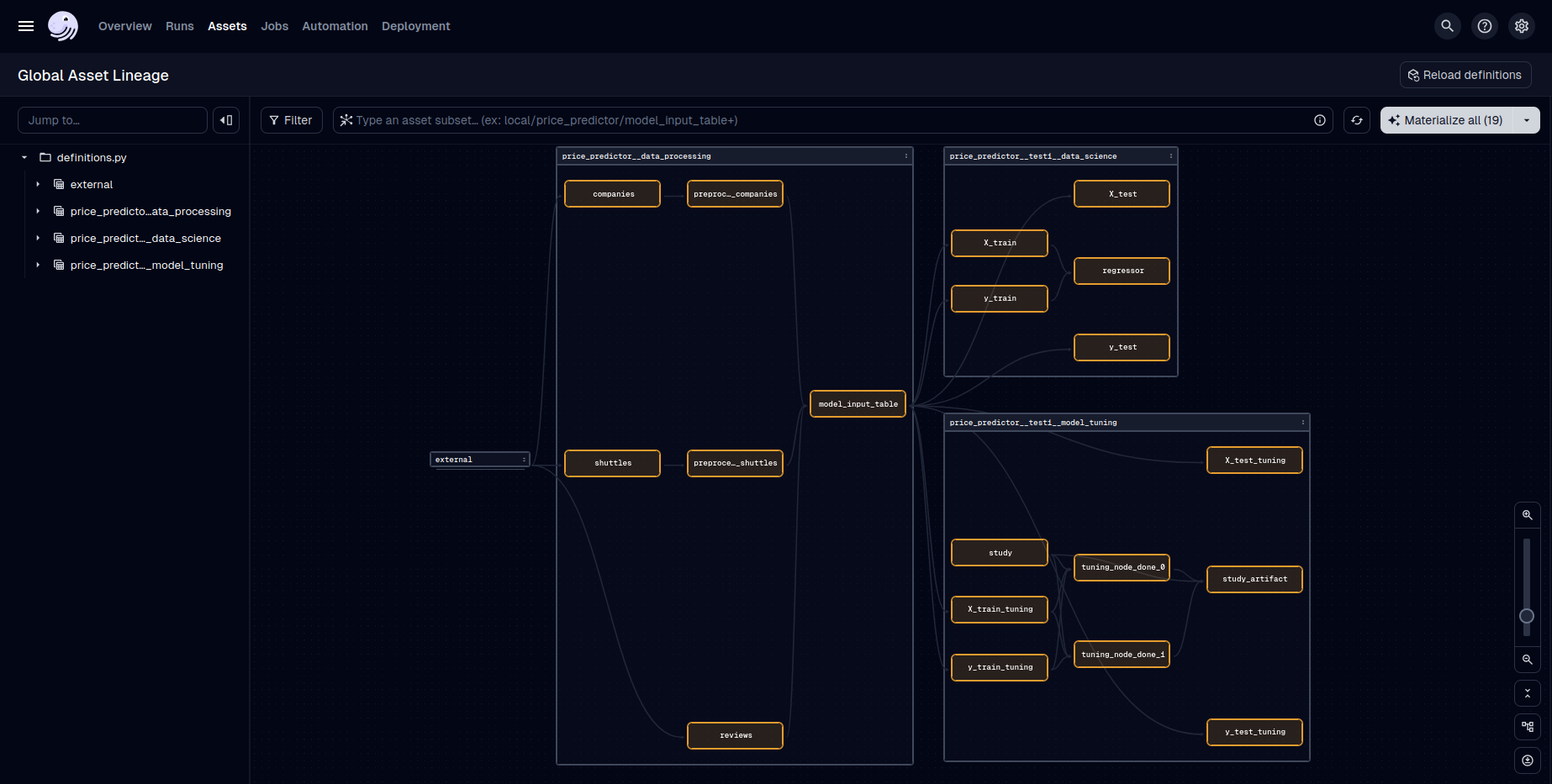
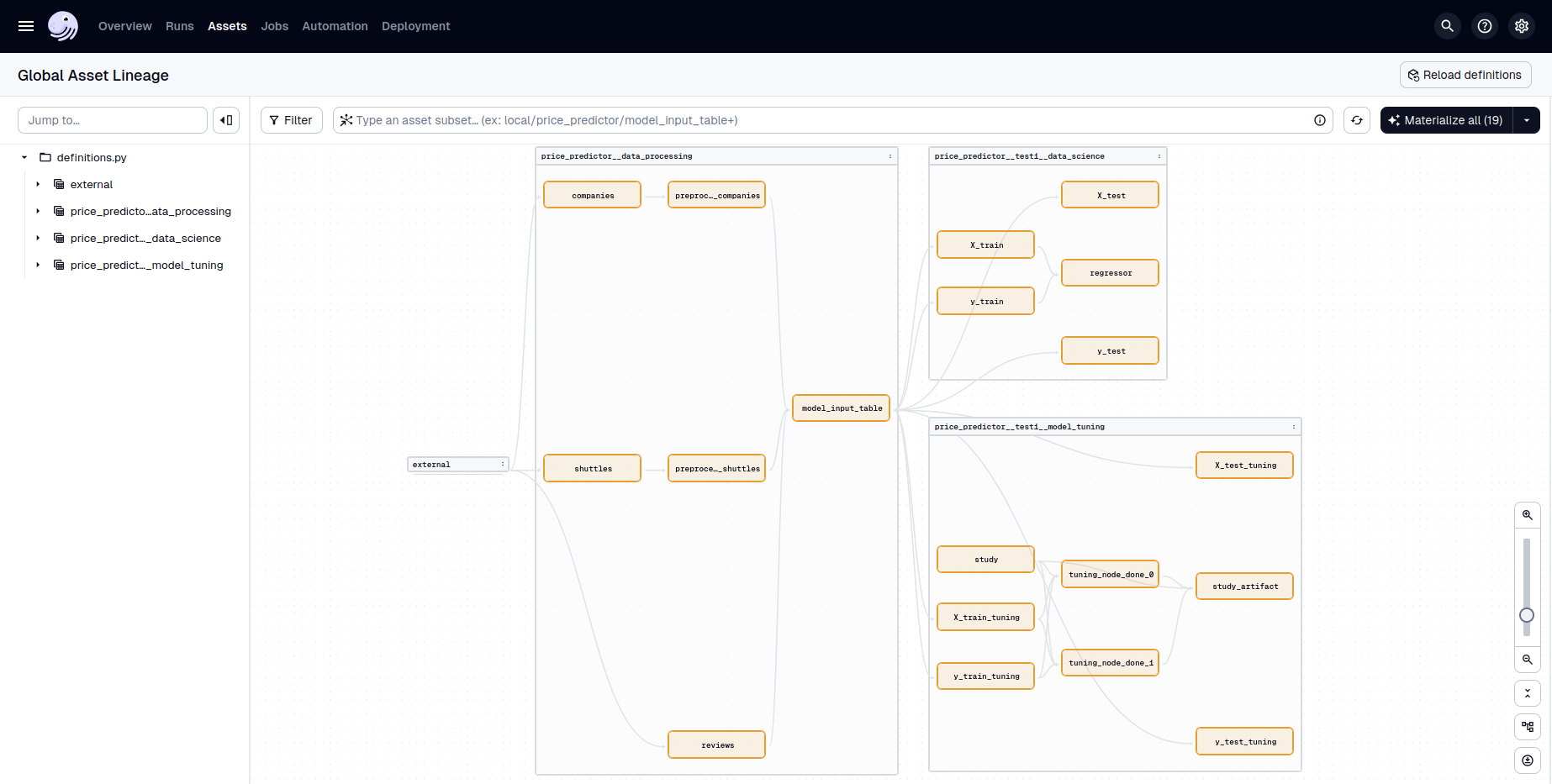
Dagster Asset Lineage Graph generated from the example Kedro project. 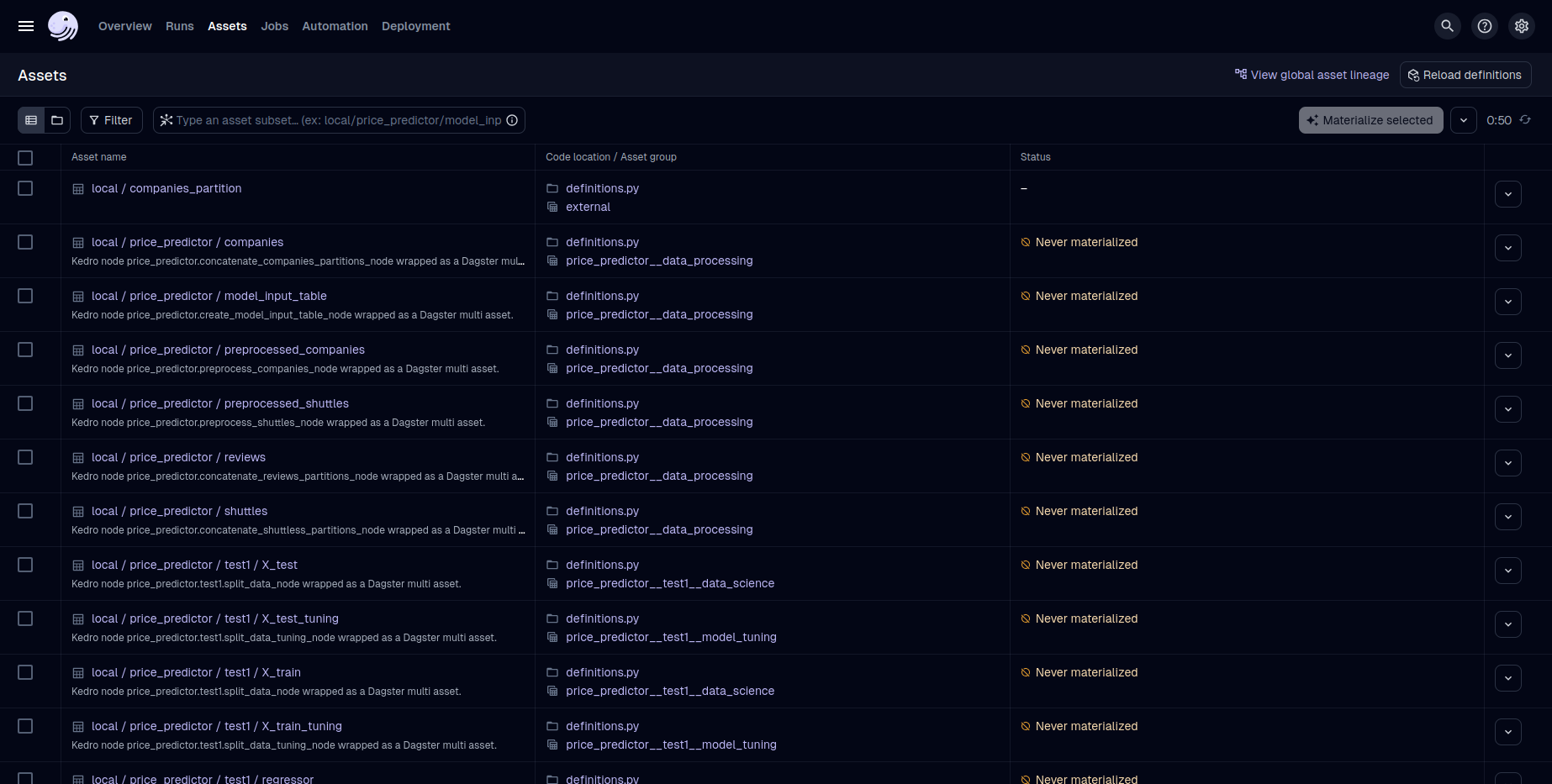
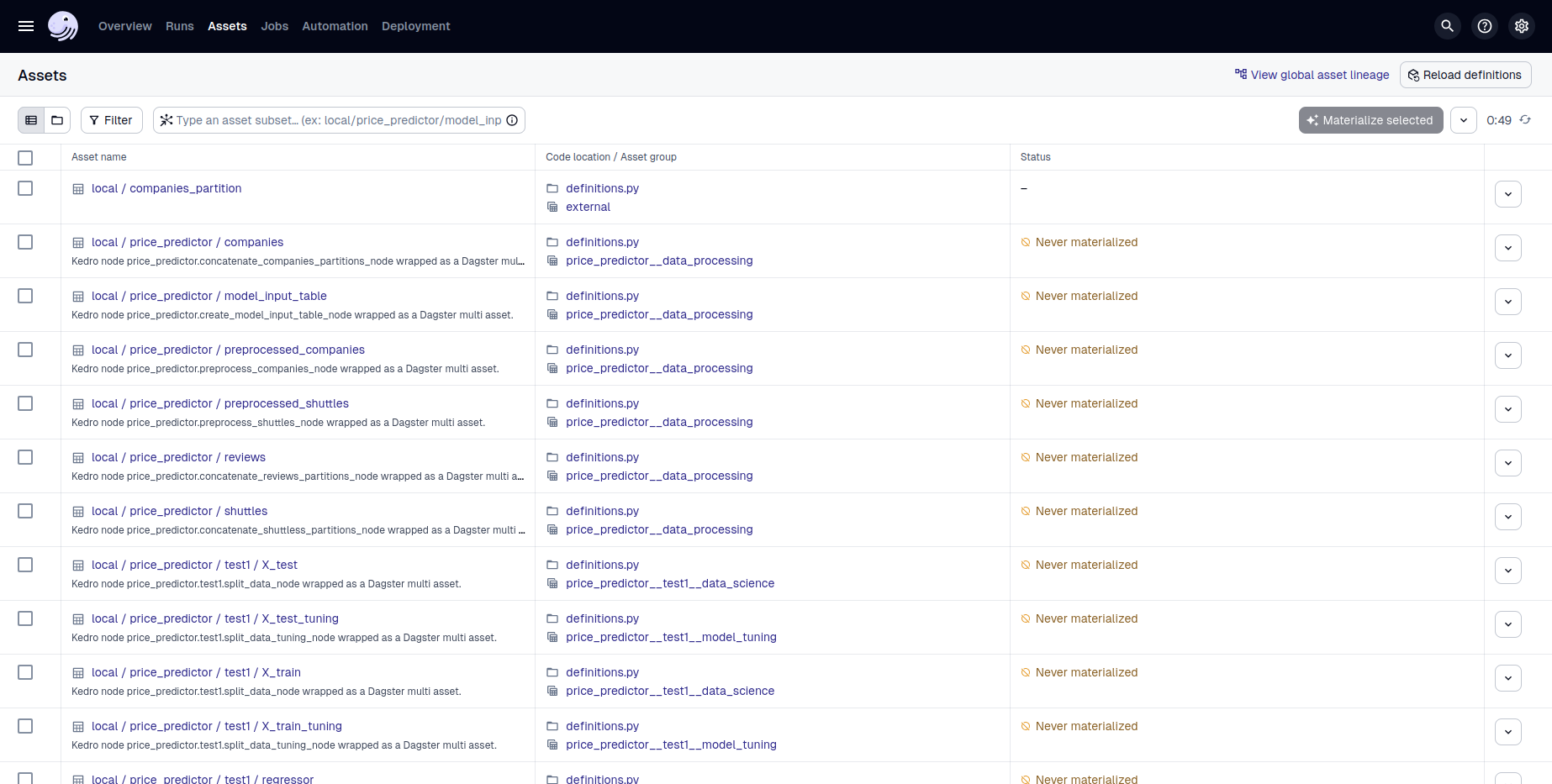
Dagster Asset List generated from the example Kedro project.
Dynamic pipelines
This example builds pipelines dynamically and separates them across environments using the KEDRO_ENV environment variable. The selected environment controls which configuration files are loaded from conf/<ENV>/ and, as a result, which jobs appear in the Dagster UI.
Use --env for Kedro commands and -e for the Dagster UI:
Pipelines are parameterized by namespace and tags. Rather than a custom merge resolver, parameters are namespaced via YAML inheritance.
The split across environments is orchestrated in settings.py:
if KEDRO_ENV == "local":
    DYNAMIC_PIPELINES_MAPPING = {
        "reviews_predictor": ["base", "candidate1"],
        "price_predictor": [
            "base",
            "candidate1",
            "test1",
        ],
    }
elif KEDRO_ENV == "dev":
    DYNAMIC_PIPELINES_MAPPING = {
        "price_predictor": ["test1"],
    }
elif KEDRO_ENV == "staging":
    DYNAMIC_PIPELINES_MAPPING = {
        "reviews_predictor": ["candidate1"],
        "price_predictor": ["candidate1"],
    }
elif KEDRO_ENV == "prod":
    DYNAMIC_PIPELINES_MAPPING = {
        "reviews_predictor": ["base"],
        "price_predictor": ["base"],
    }
else:
    raise ValueError(f"Unknown KEDRO_ENV value: {KEDRO_ENV}")
And pipeline_registry.py registers only the pipelines relevant to the active environment:
def register_pipelines() -> dict[str, Pipeline]:
    pipelines = find_pipelines()

    env_pipeline_names = ["data_processing", "data_science"]
    if KEDRO_ENV in ["local", "dev"]:
        env_pipeline_names.append("model_tuning")

    pipelines = {pipeline_name: pipelines[pipeline_name] for pipeline_name in env_pipeline_names}
    pipelines["__default__"] = sum(pipelines.values(), start=Pipeline([]))
    return pipelines
Notice that the DYNAMIC_PIPELINES_MAPPING is used to build pipeline variants dynamically inside each pipeline definition function. Changing KEDRO_ENV switches both configuration and the set of dynamic pipelines, which changes the jobs that appear in the UI.
Environments at a glance
The example defines four environments under conf/<ENV>/, each with its own catalog.yml and dagster.yml:
local: Development with in-process execution.dev: Multiprocessing, scheduling, and themodel_tuningpipeline. Requires a Postgres database (see below).stagingandprod: Production-style configuration with multiprocessing and cron schedules.
Here is a trimmed conf/staging/dagster.yml showing how loggers, executors, schedules, and jobs fit together. The jobs block uses job factories: keys with a {product} placeholder that expand into one job per pipeline namespace:
loggers:
  file_logger:
    log_level: INFO
    formatters:
      simple:
        format: "[%(asctime)s] %(levelname)s - %(message)s"
    handlers:
      - class: logging.handlers.RotatingFileHandler
        level: INFO
        formatter: simple
        filename: dagster_run_info.log
        maxBytes: 10485760 # 10MB
        backupCount: 20
        encoding: utf8
        delay: True

  console_logger:
    log_level: INFO
    formatters:
      simple:
        format: "[%(asctime)s] %(levelname)s - %(message)s"
    handlers:
      - class: logging.StreamHandler
        stream: ext://sys.stdout
        formatter: simple

executors:
  sequential:
    in_process:

  multiprocessing:
    multiprocess:
      max_concurrent: 2

schedules:
  daily:
    cron_schedule: "30 2 * * *"

jobs:
  # Job factories: '{product}' binds to each namespace of the pipeline
  # (reviews_predictor, price_predictor), so each key renders one job per product.
  "{product}__data_processing_candidate1":
    pipeline:
      pipeline_name: data_processing
      node_namespaces:
      - "{product}"
      tags:
      - candidate1
    loggers: ["file_logger", "console_logger"]
    executor: multiprocessing
    schedule: daily

  "{product}__data_science_candidate1":
    pipeline:
      pipeline_name: data_science
      node_namespaces:
      - "{product}"
      tags:
      - candidate1
    loggers: ["file_logger", "console_logger"]
    executor: sequential
    schedule: daily
Each Dagster job is generated from a filtered Kedro pipeline (selected by pipeline_name and narrowed by node_namespaces or tags; see PipelineOptions). Here the two {product} job factories render one job per namespace: reviews_predictor__data_processing_candidate1, price_predictor__data_processing_candidate1, and the data_science pair. Preview what a factory expands to with kedro dagster resolve-patterns -e staging, and see How to Use Job Factories. The prod environment goes further, interpolating {product} into a per-product executor reference.
Partitions in practice
The local environment uses Dagster partitions via DagsterPartitionedDataset. Companies data are preprocessed in partitions defined as static CSV files:
Partition Type Selection
This example uses StaticPartitionsDefinition, which is currently the only supported partition type. See the partitions guide for details.
companies_dagster_partition:
  type: kedro_dagster.DagsterPartitionedDataset
  path: data/01_raw/companies/
  dataset:
    type: pandas.CSVDataset
  partition:
    type: dagster.StaticPartitionsDefinition
    partition_keys: ["1.csv","2.csv", "3.csv"]
  partition_mapping:
    "{namespace}.preprocessed_companies_dagster_partition":
      type: dagster.StaticPartitionMapping
      downstream_partition_keys_by_upstream_partition_key:
        1.csv: 10.csv
        2.csv: 20.csv
        3.csv: 30.csv

"{namespace}.preprocessed_companies_dagster_partition":
   type: kedro_dagster.DagsterPartitionedDataset
   path: data/02_intermediate/<env>/{namespace}/preprocessed_companies/
   dataset:
      type: pandas.CSVDataset
   partition:
      type: dagster.StaticPartitionsDefinition
      partition_keys: ["10.csv", "20.csv", "30.csv"]
Notice how the partition_mapping on the upstream dataset links raw files (1.csv, 2.csv, 3.csv) to downstream preprocessed files (10.csv, 20.csv, 30.csv). When a job launches, Dagster creates a separate op per upstream partition key, computing the corresponding downstream key based on this mapping.
For simpler cases where upstream and downstream partition keys match, use IdentityPartitionMapping:
companies_dagster_partition:
  type: kedro_dagster.DagsterPartitionedDataset
  path: data/01_raw/companies/
  dataset:
    type: pandas.CSVDataset
  partition:
    type: dagster.StaticPartitionsDefinition
    partition_keys: ["region_us.csv", "region_eu.csv", "region_asia.csv"]
  partition_mapping:
    "{namespace}.processed_companies_dagster_partition":
      type: dagster.IdentityPartitionMapping
Note
DagsterPartitionedDataset reduces to Kedro's PartitionedDataset when run outside of Dagster, so the pipeline remains runnable with kedro run.
You can also materialize partitioned assets from the Dagster UI: select a specific partition key in the Launchpad, or use a backfill for multiple keys at once.
Enforcing order with Nothing assets
Once all preprocessed partitions are ready, we collect them for downstream processing. To ensure collection only happens after all preprocessing completes, we use DagsterNothingDataset:
"{namespace}.is_company_preprocessing_done":
   type: kedro_dagster.DagsterNothingDataset

"{namespace}.preprocessed_companies_partition":
   type: partitions.PartitionedDataset
   path: data/02_intermediate/<env>/{namespace}/preprocessed_companies/
   dataset:
      type: pandas.CSVDataset
These appear as Nothing assets in Dagster and only enforce execution dependencies.
Custom logging integration
Kedro-Dagster unifies Kedro and Dagster logging so that logs from Kedro nodes appear in the Dagster UI. In node files, replace:
with:
Note
The getLogger call must happen inside the node function so the Dagster context is accessible. Avoid module-level loggers.
Dagster run loggers are configured via a LoggerCreator that reads the loggers section of dagster.yml. See the logging guide for full details.
Optuna hyperparameter tuning
The example uses the optuna.StudyDataset for distributed hyperparameter optimization. Two backends are demonstrated:
-
SQLite for
local(stored underdata/):"{namespace}.{variant}.study": type: kedro_datasets_experimental.optuna.StudyDataset backend: sqlite database: data/06_models/local/{namespace}/{variant}/optuna.db study_name: "{namespace}.{variant}" load_args: sampler: class: TPESampler n_startup_trials: 2 n_ei_candidates: 5 pruner: class: NopPruner -
PostgreSQL for
dev(via the provided Docker Compose service):
For the dev environment, start Postgres and export connection variables:
docker compose -f docker/dev.docker-compose.yml up -d
export POSTGRES_USER=dev_db
export POSTGRES_PASSWORD=dev_password
export POSTGRES_HOST=localhost
export POSTGRES_PORT=5432
MLflow integration
The example is preconfigured for MLflow tracking with kedro-mlflow. Each environment's configuration directory includes an mlflow.yml. Models and artifacts are tracked via Kedro-MLflow datasets:
"{namespace}.{variant}.regressor":
   type: kedro_mlflow.io.models.MlflowModelTrackingDataset
   flavor: mlflow.sklearn
   artifact_path: "{namespace}/{variant}/regressor"
The example also shows MLflow alongside Optuna using the MLflowCallback, which logs Optuna trials as nested MLflow runs. The callback is added in the tuning node. See the MLflow integration guide for more details.
Common pitfalls
-
- Dev database not reachable
- Ensure the Docker container is running and env vars match
conf/dev/credentials.yml.
-
- UI not reflecting config changes
- Stop and restart
kedro dagster dev.
-
- Asset names differ from Kedro names
- Dots in Kedro dataset names become
__in Dagster. See naming conventions.
Next steps
- Configuration: Explore the configuration reference for all available options.
- API: See the API reference for API and CLI details.